Les professionnels de GBNews.ch s'allient à la puissance des technologies en intelligence artificielle générative, pour informer la communauté des affaires et le grand public, des dernières tendances et des évolutions du marché de l'emploi.

Technology has become an essential component in our daily lives. That is why ensuring accessibility to technology for those with disabilities is vital.
For many years, I developed my professional activity in the IT environment at ONCE (the Spanish National Organization for the Blind), working with blind and visually impaired computer users. In doing so, I became more and more aware of certain aspects related to the access those with disabilities have to Information Technology and the Web for personal and professional reasons.
It might not be known to someone who has not worked on these types of systems that, thanks to the technical aids available today, the visually impaired can:
Therefore, it is necessary for the work environment to be compatible with these technical aids.
Configuration of the computer will depend on the capabilities of the user and the device being used. In order to have an accessible computer station, we need to understand some of the existing problems:

Software accessibility criteria are aimed at making every software package compatible with programs and devices specially designed for people with disabilities.
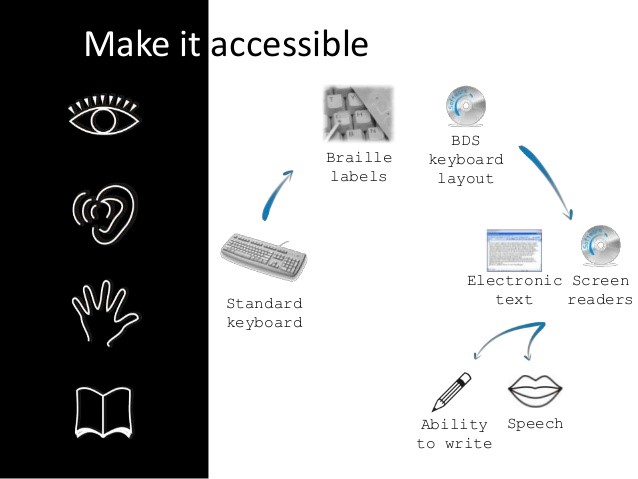
Users with disabilities and the elderly may experience a number of problems in accessing information. Technical support, products, instruments, equipment or technical systems used by a person with a disability, can serve to ease the impact of the disability on the user.
Most current browsers interpret the contents of a web server to display them correctly, and offer a multitude of options to be able to adapt the web content to the preferences of the end users. In the case of people with disabilities, the possibilities of adaptation of the browser will condition the access to the contents.
Through technical assistance, (and if the contents of the Web are accessible), disabilities are not a barrier to access to information. Interaction with electronic content varies depending on the disability and the necessary technical assistance.
Here are a few examples:
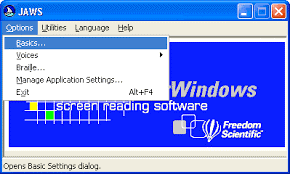 Screen readers: These are programs that interpret the text and the images displayed on the screen and transform it into a voice. Depending on the disability of the user, he or she can use the Braille line and the keyboard as input devices, since blind people do not usually use the mouse.
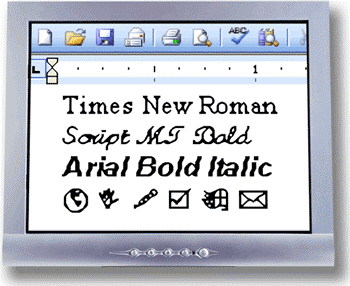
Screen magnifiers: Screen magnifiers are software or hardware devices that allow the screen to be displayed with a considerable increase in size, which is an aid for people with visual problems. With these technical aids, a user who has some vision can view the computer screen by increasing the size of the images on the screen.
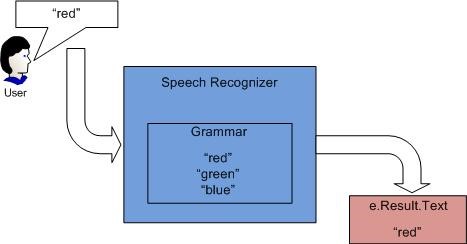
Voice Recognition: Voice recognizers are used as input devices for computer information. They are most often used by those who have difficulty using the keyboard or mouse. This type of application converts the user's voice into commands that are sent to the operating system through a microphone. These commands can affect the movements of the mouse or the keyboard.
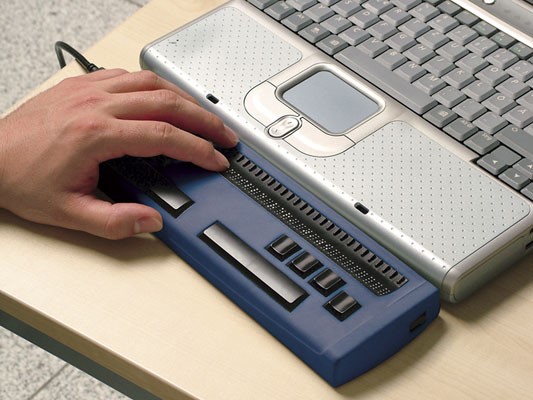
The Braille Line: This is a hardware device, which in combination with specific programs, shows the content of the screen in braille characters, so that blind or deaf-blind people can access the information on the screen.
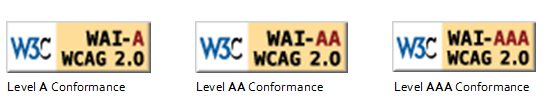
On the web, like in other environments, a non-accessible design introduces unnecessary barriers and difficulties to those with disabilities. To measure the degree of accessibility of a website, the reference currently used is the "Web Content Accessibility Guidelines 1.0" (WCAG 1.0) Of the Web Accessibility Initiative (WAI) of the Consortium World Wide Web (W3C). Through the implementation of the accessibility guidelines, the web page, site or web portal can be identified through a following logo that indicate the degree of accessibility achieved. So far, triple A is the highest rating.
The needs for access to information on the Web by blind and partially sighted users must be taken into account.
The computer must:
Technology continues to grow, and is more efficient every day. It is literally revolutionizing our lives. This is no exceptionfor the visually impaired and the blind.
Here are a few examples:
These technological innovations are revolutionizing the lives of many people around the world, and will continue to do so. Until, perhaps, technology helps to make blindness and visual impairment a thing of the past.
W3C. Web Accessibility Initiative. http://www.w3.org/WAI/
ISO (2003). Ergonomics of human-system interaction: guidance on accessibility for human computer interfaces: technical specification ISO/TS 16071. Geneva: ISO. https://www.iso.org/standard/30858.html
Support-EAM. Cómo usan la web las personas con discapacidad. http://www.supporteam.org/waec/es/02_disabilities_es.html.
ONCE. http://www.once.es/new/otras-webs/english
Ayudas técnicas ONCE http://cidat.once.es/home.cfm?excepcion=52&idproducto=680&idseccion=01
Portal de tecnologías WEB para usuarios ciegos y deficientes visuales http://www.manolo.net/braille.html
Web Accessibility 101 http://ctis.okcareertech.org/development/training/accessibility/web-accessibility-101/
Computer Accessibility. http://www.callscotland.org.uk/information/computer-accessibility/
Computer technologies for accessible education, T. Zafirova & P. Boytchev. https://www.slideshare.net/tzafirova/t-zafirova-p-bboytchev-computer-technologies-for-accessible-education
Reconocimiento del habla https://es.wikipedia.org/wiki/Reconocimiento_del_habla
Easy Braille https://handytech.de/en/products/braille-displays-and-note-takers/braille-displays/easy-braille-bluetooth
Image credits:
Microsoft Speech Recognizer https://msdn.microsoft.com/en-us/library/office/hh361683(v=office.14).aspx
Zoomtext Extra (http://www.synapseadaptive.com/aisquared/zoomtext_9/zoomtext_9_home_page.htm)